Turn full transcripts into a first cut
Jumper’s Script Editor gives editors a transcript-first workspace for reviewing dialogue, selecting useful ranges, and shaping a cut before working through the timeline.
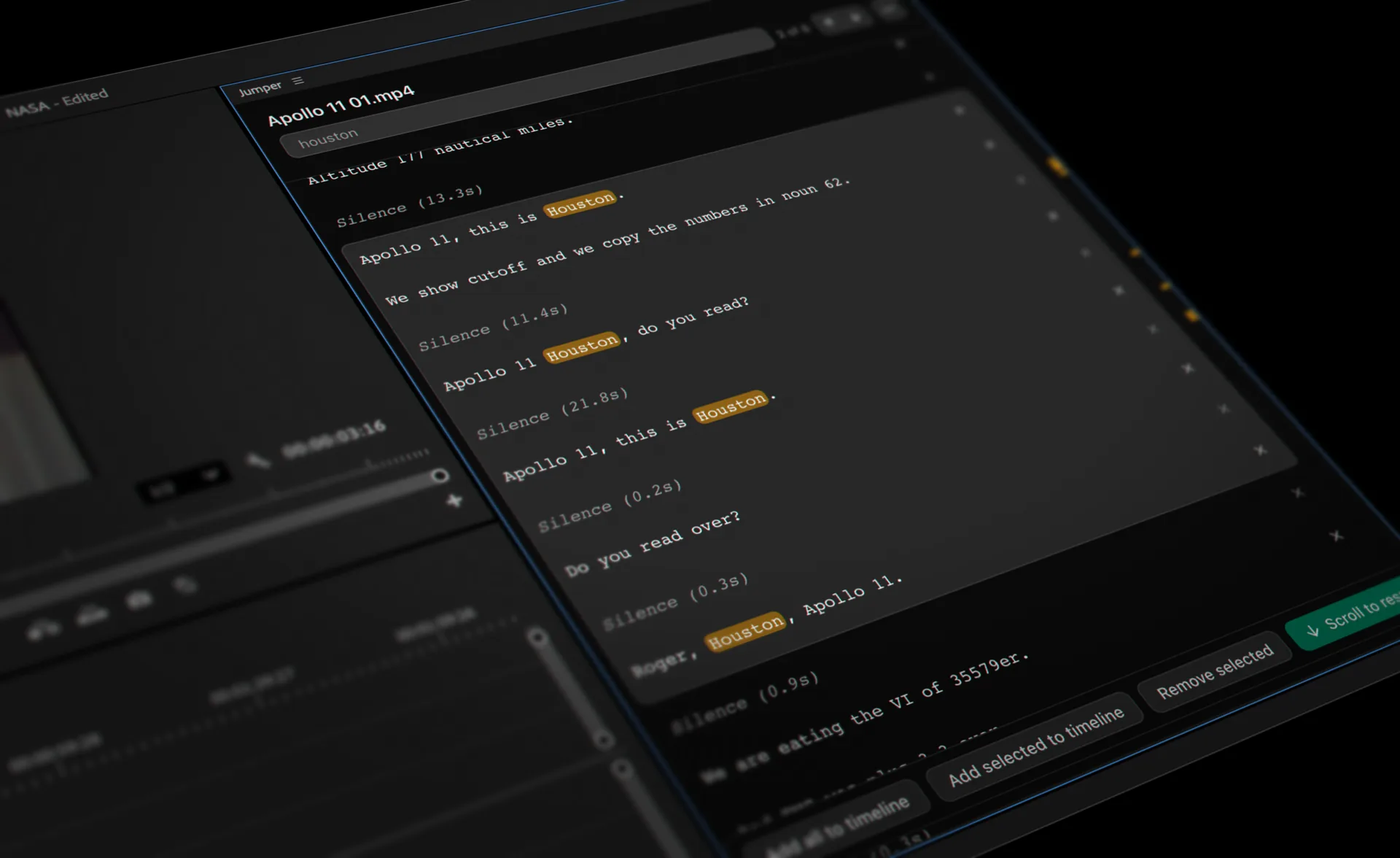
Script Editor in Jumper
The Script Editor opens a complete clip transcript in one workspace rather than showing isolated search results. Editors can review dialogue in context, make non-destructive text-based decisions, and send selected spoken ranges to the timeline.
What you can do with script editor
Review the full conversation
Read and navigate the complete transcript while staying connected to the original source media.
Shape dialogue with text
Remove unwanted passages and select the lines that belong in the story without changing the source clip.
Continue in the timeline
Send selected transcript ranges into the editing workflow and export text when review or sign-off is needed.
Take the transcript with you
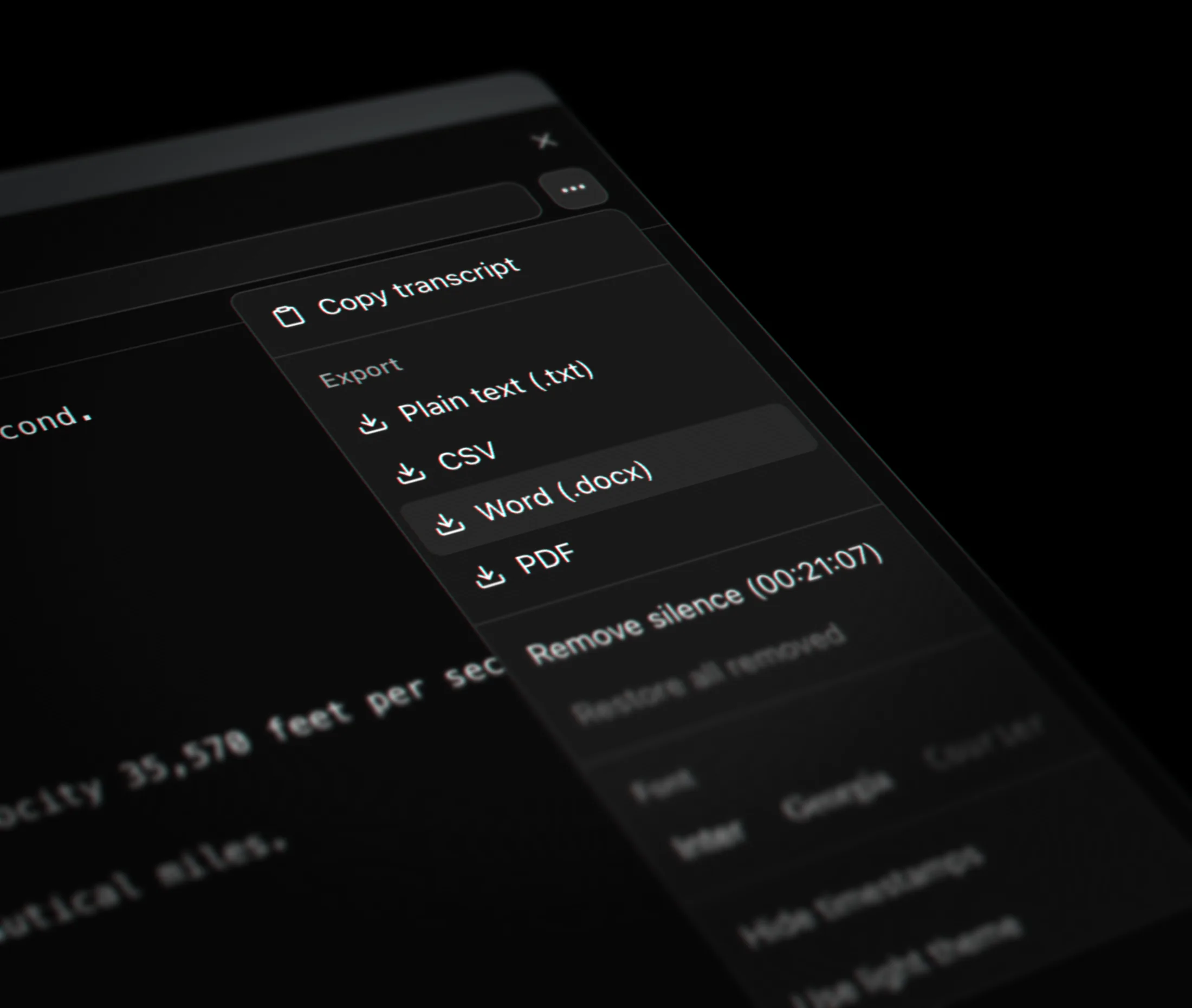
Copy it, or export plain text, CSV, Word, or PDF for producers, clients, and captioning workflows.
How it works
- 01
Transcribe the source
Run speech analysis so the clip has a time-aligned transcript.
- 02
Select the story
Read the full transcript, remove material that is not needed, and keep the strongest spoken ranges.
- 03
Build the first cut
Add the selected ranges to the timeline or export the edited script for collaboration.
Guides and documentation
Related workflows
More features
Visual Search
Jumper turns your footage into a searchable visual library. Type a natural-language description and jump directly to matching moments across your media.
Speech Search
Jumper makes interviews, dialogue, speeches, and archive recordings searchable, so editors can find the right quote without listening through every clip.
Face Recognition
Jumper detects and groups recurring faces across analyzed media, helping editors locate cast members, interview subjects, speakers, and other people without manual logging.
NLE Integrations
Jumper connects searchable media analysis to the editing applications professionals already use, reducing the need to leave the edit to locate a shot or spoken moment.
Questions
Does editing the transcript change the original media?
No. Script Editor decisions are non-destructive and remain connected to the original source ranges.
Can selected transcript ranges be sent to a timeline?
Yes. Editors can select spoken ranges in the Script Editor and continue working with them in the editing timeline.
Can I export the edited script?
Yes. The edited transcript can be exported when a producer, client, captioning workflow, or review process needs a text version.