Find every appearance of a person in your footage
Jumper detects and groups recurring faces across analyzed media, helping editors locate cast members, interview subjects, speakers, and other people without manual logging.
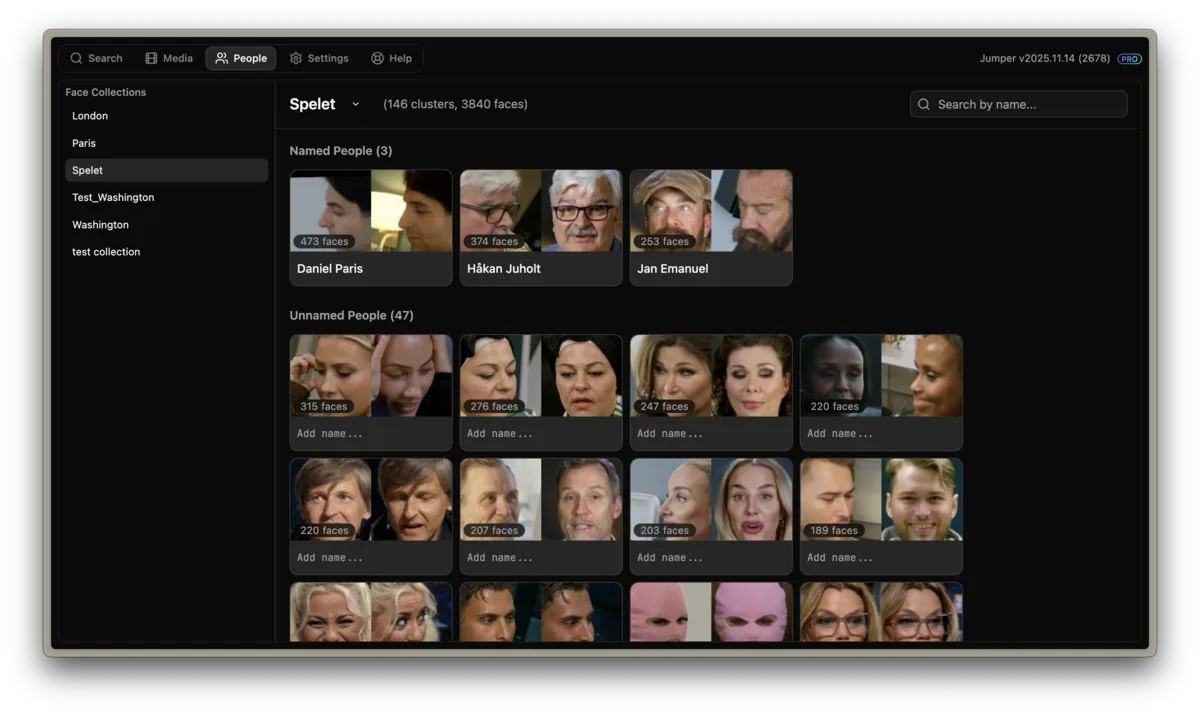
Face Recognition in Jumper
Face recognition in Jumper is designed for people in an editor’s own footage, including non-celebrities. Jumper detects faces, groups likely matches, lets the editor assign names, and makes those people available as search filters. Processing stays on the local device.
What you can do with face recognition
Group recurring people
Automatically collect appearances of the same person across interviews, multicam footage, episodes, and archives.
Name and search people
Assign a name to a detected face group, then use that person as a filter when searching footage.
Find people together
Search for two or more named people and jump to the shots where they appear together.
Protect identity data
Detection, grouping, and search happen locally rather than sending private footage to a cloud service.
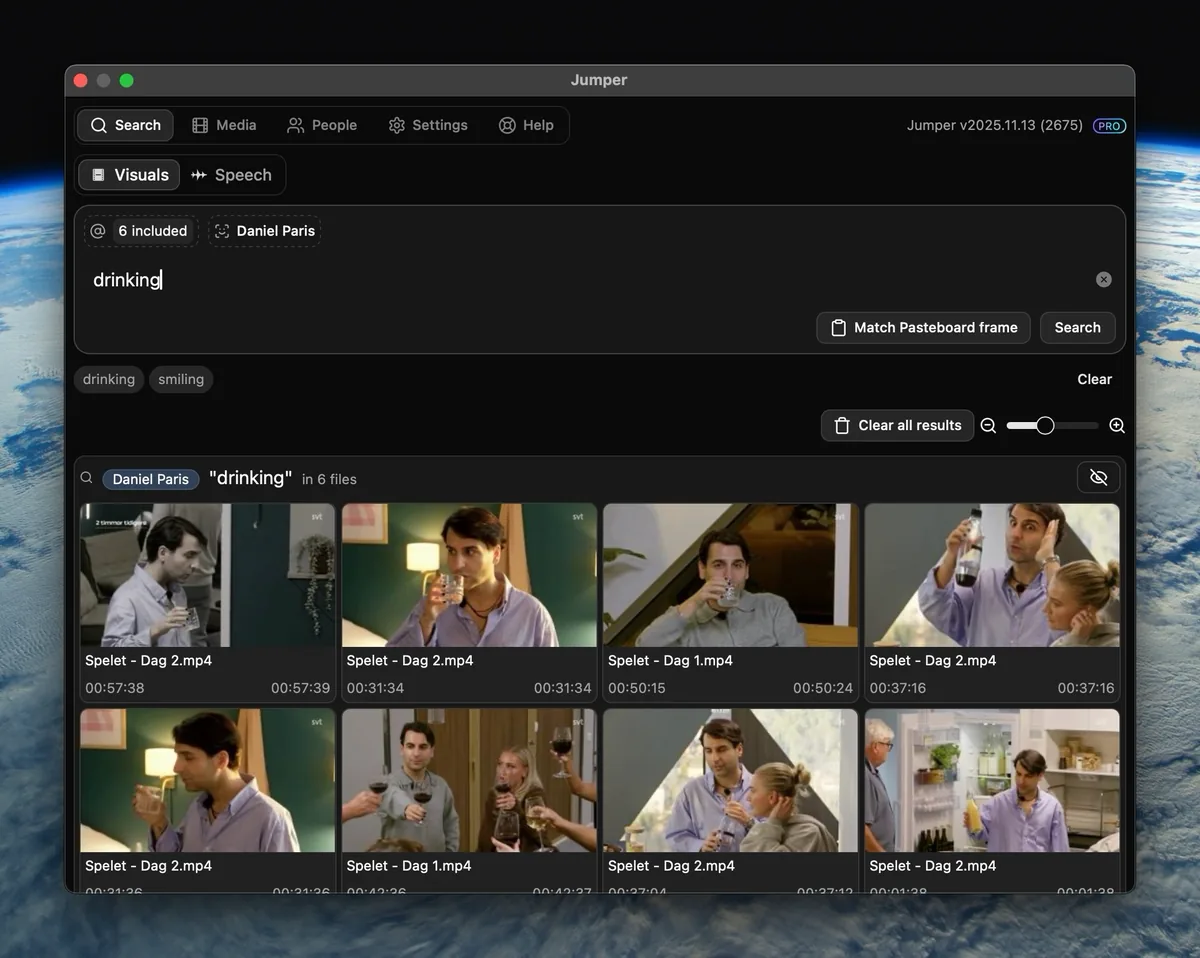
Combine a person with any visual search
Pick a face, add a visual query like “drinking,” and Jumper returns only the moments where that person is doing it.
How it works
- 01
Analyze faces
Run face analysis on the media relevant to the project.
- 02
Review and name groups
Confirm useful groups and assign names to the people the edit needs to track.
- 03
Search by person
Find one person’s appearances, search for two or more people together, or combine a person filter with a visual search.
Guides and documentation
More features
Visual Search
Jumper turns your footage into a searchable visual library. Type a natural-language description and jump directly to matching moments across your media.
Speech Search
Jumper makes interviews, dialogue, speeches, and archive recordings searchable, so editors can find the right quote without listening through every clip.
Script Editor
Jumper’s Script Editor gives editors a transcript-first workspace for reviewing dialogue, selecting useful ranges, and shaping a cut before working through the timeline.
NLE Integrations
Jumper connects searchable media analysis to the editing applications professionals already use, reducing the need to leave the edit to locate a shot or spoken moment.
Questions
Can Jumper recognize people who are not celebrities?
Yes. Jumper groups similar faces found in the editor’s own footage. The editor can then name useful groups and search for those people.
Is face recognition processed in the cloud?
No. Face detection, grouping, and search run locally on the editor’s device.
Which Jumper plan includes face recognition?
Face recognition and people search are available with Jumper Pro.