Search everything said in your footage
Jumper makes interviews, dialogue, speeches, and archive recordings searchable, so editors can find the right quote without listening through every clip.
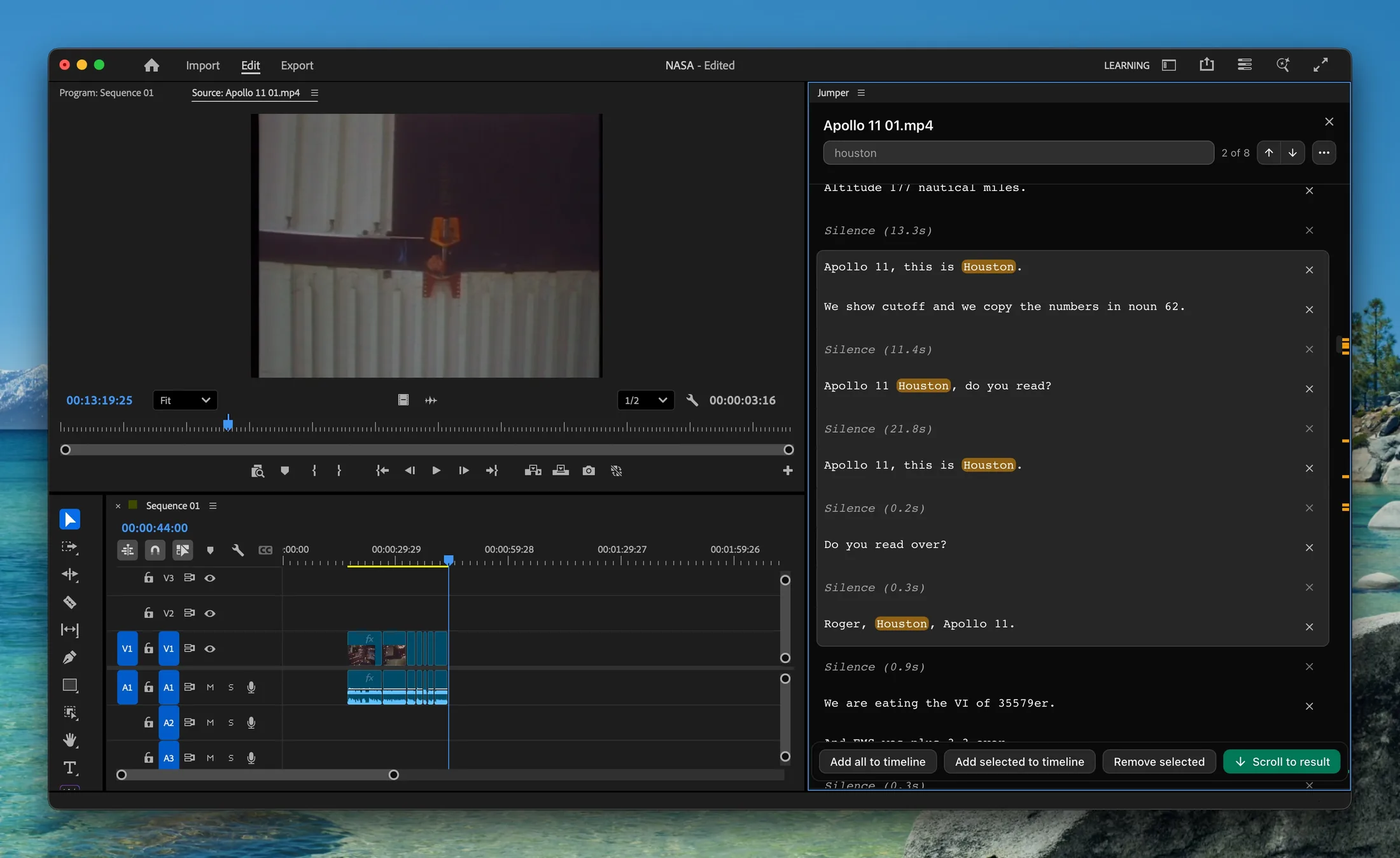
Speech Search in Jumper
Speech search in Jumper transcribes analyzed media and connects each result to its source timecode. Editors can search for exact words, phrases, or topics and open the matching moment in their footage.
What you can do with speech search
Find exact words and phrases
Search across transcribed media and jump to the point where a word or phrase is spoken.
Explore interviews by topic
Locate relevant discussion across long interviews, recordings, sermons, or unscripted material.
Transcribe locally
Speech analysis runs on the local device, keeping private and unreleased media off cloud transcription services.
How it works
- 01
Create searchable transcripts
Run speech analysis on the clips or folders needed for the project.
- 02
Search the dialogue
Enter the phrase, subject, or idea you remember instead of manually scrubbing the recording.
- 03
Open the source moment
Review the result in context and continue working with it in Jumper or a connected NLE.
Guides and documentation
More features
Visual Search
Jumper turns your footage into a searchable visual library. Type a natural-language description and jump directly to matching moments across your media.
Face Recognition
Jumper detects and groups recurring faces across analyzed media, helping editors locate cast members, interview subjects, speakers, and other people without manual logging.
Script Editor
Jumper’s Script Editor gives editors a transcript-first workspace for reviewing dialogue, selecting useful ranges, and shaping a cut before working through the timeline.
NLE Integrations
Jumper connects searchable media analysis to the editing applications professionals already use, reducing the need to leave the edit to locate a shot or spoken moment.
Questions
Can Jumper search long interviews?
Yes. After speech analysis, editors can search across long interviews and collections of transcribed media for words, phrases, or topics.
Which languages does speech search support?
Jumper supports speech search across 111 languages. Available models and accuracy vary by language and hardware.
Is speech transcription uploaded to the cloud?
No. Jumper performs speech analysis locally, so the footage and generated transcripts remain on the editor’s device.