Agentic video editing with MCP for Claude and Codex
Jumper includes a local MCP server, so Claude, Codex, and other AI agents can search your footage, pull selects, and build sequences in Adobe Premiere Pro, DaVinci Resolve, Final Cut Pro, and Avid Media Composer.
At a glance
- Works with Claude, Codex, and practically any agent harness
- Agents use visual, transcript, and people search
- Builds sequences in Premiere, Resolve, Avid, and Final Cut Pro
- Footage is analyzed locally and never uploaded
Last updated:
What is agentic editing?
Agentic editing means handing structured editing tasks to an AI agent and letting it carry out multi-step workflows. Instead of repeating the same searches and clip pulls by hand, you ask an agent to find selects, group moments, and prepare timeline-ready output.
Agents speed up time-consuming, repetitive work. Because they run in the background, you can hand off a task and keep working on the creative parts of the edit.
These workflows build on Jumper's AI video analysis and understanding, which gives the agent structured ways to navigate visual content, transcripts, people, and long-form summaries while the source media stays local.
AI-assisted and agentic video editing
With AI-assisted editing, you operate Jumper’s search and transcript tools directly: describe a shot, find a quote, or select spoken ranges for a first cut. With agentic editing, you give an agent a brief and it combines searches, source checks, and exports into a sequence of actions. Choose either approach for the task at hand.
These are practical editing efficiency tools: they help you reach usable footage and prepare an assembly. You still decide which moments tell the story and how the finished edit should feel.
A brief, an output, and an editorial check
- B-roll research: “Find wide exterior shots in this shoot folder for the opening.” The agent returns source ranges or a selects sequence. Check subject, continuity, and shot length before adding them to the cut.
- Interview assembly: “Use these interviews to build a selects sequence about the product launch.” The agent locates quotes and prepares an assembly. Review the surrounding dialogue and cut points to preserve the speaker’s meaning.
- Timeline revision: “Review this Premiere sequence against my shot list and propose replacements from this folder.” The agent can inspect the timeline, search source footage, and return an updated sequence. Review linking and each replacement.
For a team preparing footage before the edit, see AI media asset management workflows. For tool capabilities and setup, use the agentic editing documentation.
MCP server for video editing
The Model Context Protocol (MCP) is a standard way for tools to expose actions to AI agents. Jumper ships with an MCP server, so agents can call Jumper's visual search, transcript search, and people search, and use its NLE integrations.
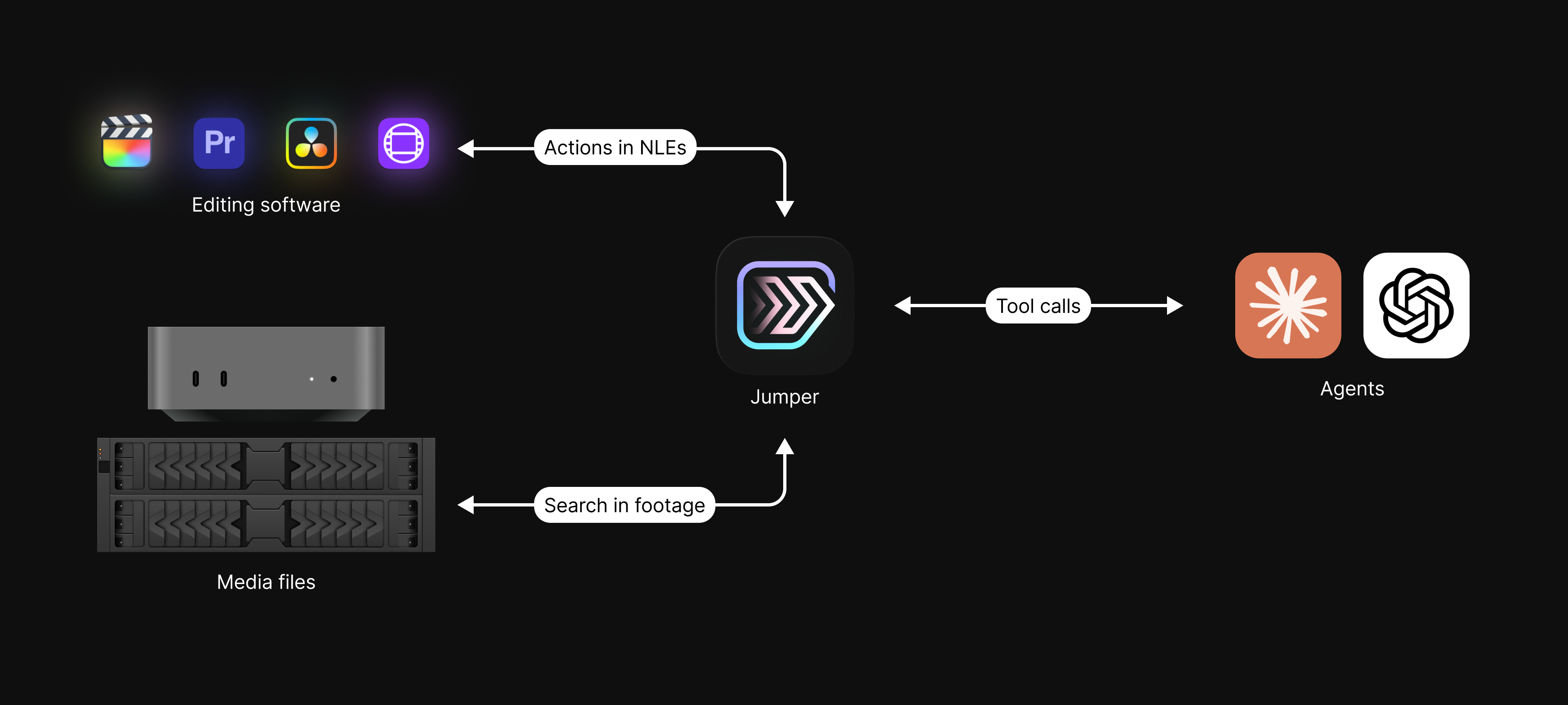
The agent asks Jumper for something, like a visual search for "man in a red shirt", a people search for "@Hanna smiling", or a transcript search for a phrase. Jumper runs it locally and returns the results.
- AI agent
- Claude, Codex, or any other agent harness
- Agentic video editing
- Running editing workflows from a prompt
- MCP server
- A local server exposing Jumper's actions to agents
What an agent can do with Jumper
- Visual, transcript, and people search, including several people at once
- Find clips similar to a shot you already have
- Export clips as individual files to a folder
- Export sequences for Premiere, Resolve, Avid, and Final Cut Pro
- Read the current timeline, then summarize it, spot gaps or repeated shots, and send changes back
- Use Summary Analysis as a map of long footage before searching
- Start missing analysis on media directly from the chat
Summary Analysis requires Jumper Pro. Read more in Giving AI agents a map of your footage.
Connect your agent to Jumper
- 1
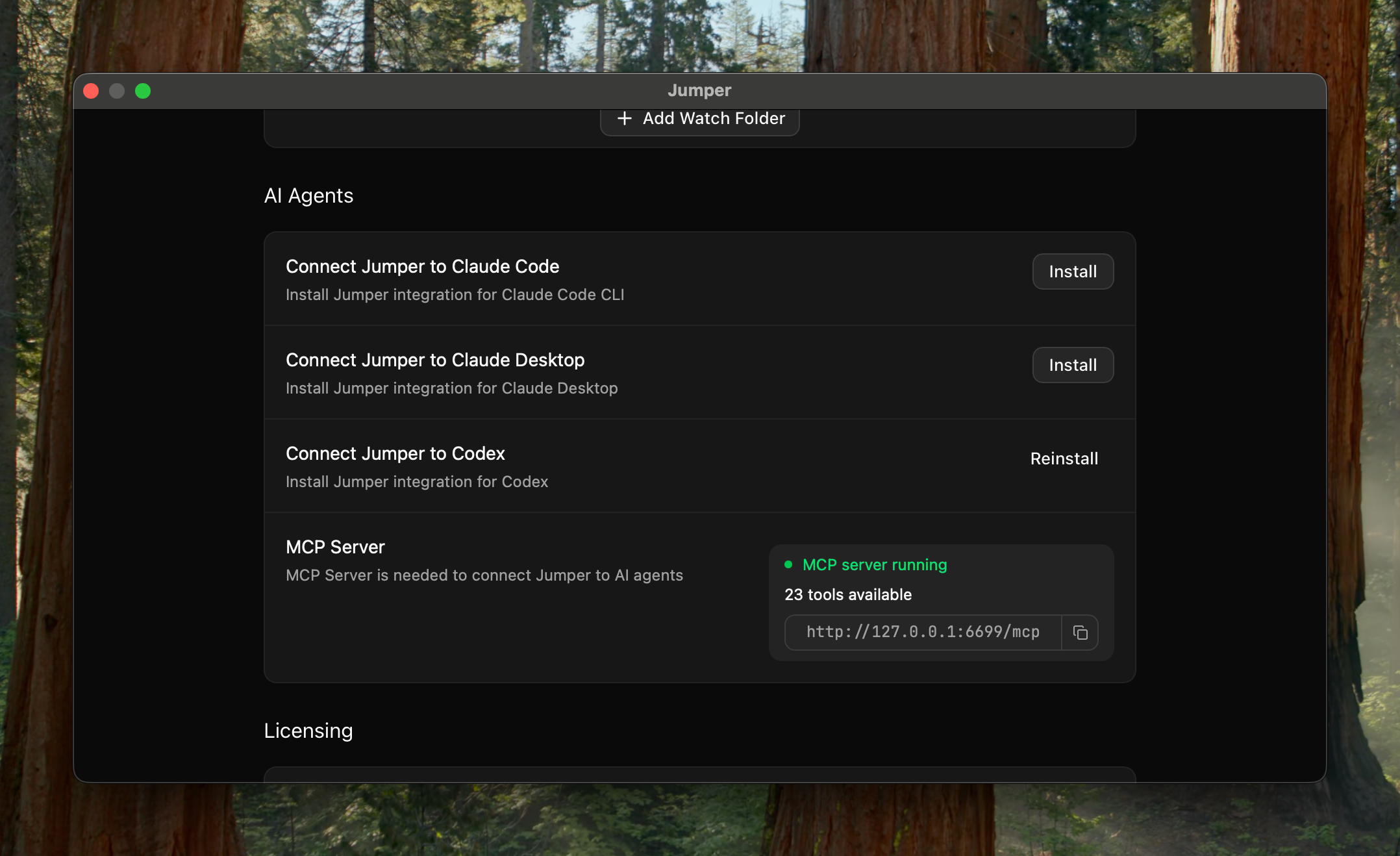
Open AI Agents in Jumper settings
Go to the Settings tab in Jumper and scroll down to the AI Agents section.
- 2
Install your agent
Click Install for Claude Desktop, Claude Code, or OpenAI Codex Desktop. For any other agent, copy the MCP URL into its configuration, or call Jumper through its local API.
- 3
Check the connection
Ask your agent "can you use Jumper?" and it will tell you whether it is connected.
Example prompts
A few things you can ask an agent once it is connected to Jumper.
“Find every shot of @Hanna smiling and put them in a sequence called "Hanna selects".”
- People search for Hanna
- Visual search for smiling
- Sequence built in your NLE
“Search the interviews for every time someone talks about the budget, with timecodes.”
- Transcript search across interviews
- Results returned as clips and timecodes
“Pull B-roll for each paragraph of this script and lay it out on a new timeline.”
- Visual search per paragraph
- Best match picked per line
- Timeline assembled
“Go through the episode 3 folder and build a stringout of reaction shots.”
- Visual search scoped to a folder
- Clips ordered by source
- Stringout exported
In practice: 200 B-roll clips from one prompt
An in-house editor at a large tech company tested agentic editing on a real job: pulling B-roll from a full day of conference footage for a recap video. His prompt:
“I am editing a recap video and I need you to pull me lots of clips of the best moments from the conference. Find me 100–200 clips of people having fun, keynote presentation, people signing in at the front desk, large crowds, people talking, collaborating, listening, clapping, etc.”
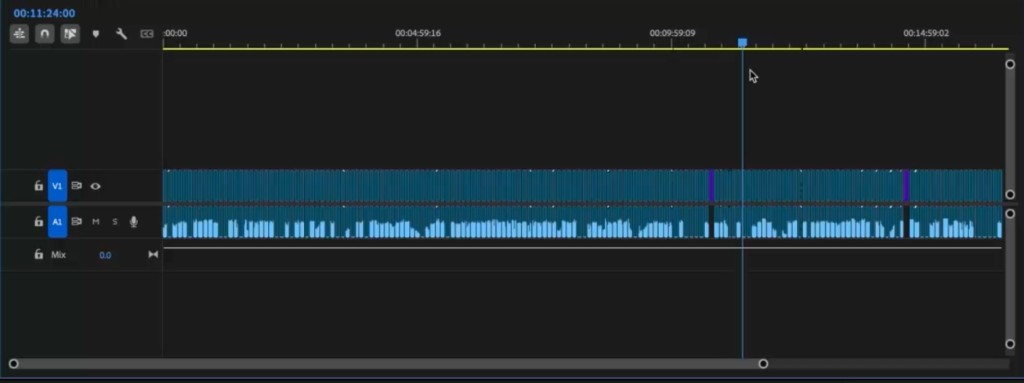
A few moments later the agent returned a Premiere Pro XML with about 200 clips of varied B-roll, roughly 18 minutes in total.
AI agent workflows by production type
Documentary filmmaking
- Pull B-roll that matches a script or theme
- Gather every moment with a specific interviewee
- Build selects from transcript searches for topics or keywords
- Speed up stringouts and assemblies
Reality TV and unscripted
- Collect confessionals, sound-ups, and reactions
- Compile scenes between specific cast members
- Organize clips by cast member or storyline
- Pull B-roll of locations, entrances, and group shots
Corporate and commercial
- Assemble highlight reels from testimonials and product shots
- Find footage of specific people, teams, or locations
- Select on-message soundbites with transcript search
- Pull B-roll for campaigns, launches, and events
Customize with skills
Skills encode repeatable editing workflows for the agent. Each skill is a SKILL.md file that explains
in plain text when the workflow applies, which steps it runs, and how results come back.
Shape the built-in workflows to your preferences, or add skills for jobs your team repeats, like social cutdowns, B-roll sequences, or interview selects. For example:
- Keep every clip under 5 seconds, always export a Premiere XML, and put the clips in a folder named after the project.
- For a post house ingesting dailies, export into a client/project/dailies folder structure and name clips by scene and take.
Build your own tools with the Jumper API
Agents don't have to go through MCP. Point a coding agent at Jumper's local API and it can build a custom tool for your workflow, often in about 15 minutes, with no programming experience needed. The API requires Jumper Pro.
Build a very small local app that connects to the Jumper API.

Goal:
1) Show a search input box
2) Send the query to Jumper
3) Render results as a simple list with thumbnails and clip info

When done, tell me exactly how to test it.

Use this API reference:
https://docs.getjumper.io/api-reference
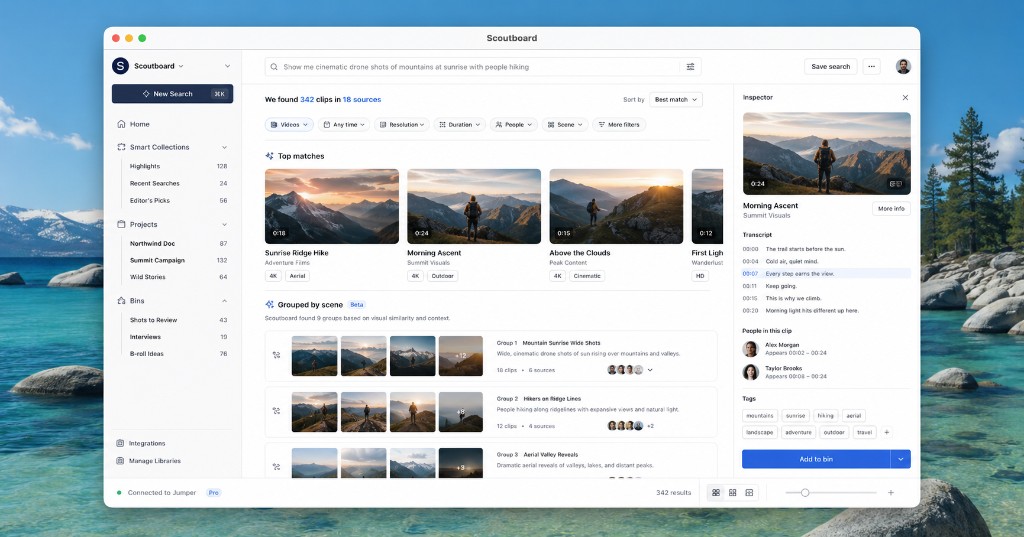
Vibe Coding for Video Editors 101
A beginner guide to building your first Jumper-powered tool.
Vibe-Coding Your Own Video Editing Tools
From a blank prompt to a working app in about 15 minutes.
Compatibility and limitations
- AI agents
- One-click install for Claude Desktop, Claude Code, and OpenAI Codex Desktop. Any other agent harness can connect over MCP or through Jumper's local API, including fully local models in LM Studio.
- Timeline round trips
- PremierePremiereResolveResolveAvidAvid
- Sequence export
- Agents export sequences for you to import; no live round trip yet.FCPFCP
- Guides per app
- Premiere Pro MCP DaVinci Resolve MCP Avid MCP Final Cut Pro MCP
- Operating systems
- macOS and Windows
Frequently asked questions
Will my footage be uploaded to AI companies?
No. The agent sends Jumper commands like "search for shots of Anna smiling" or "export these clips". Jumper runs locally and does all the analysis on your computer. The agent only receives metadata back: file paths, timecodes, transcript excerpts, and search results, never the footage itself.
Which AI agents work with Jumper?
Practically any agent harness. Claude Desktop, Claude Code, and OpenAI Codex Desktop install with one click from Jumper's settings. Any other agent that supports the Model Context Protocol can connect to the MCP URL, and agents or scripts can also talk to Jumper through its local API.
Which editing applications support timeline round trips?
Agents can build and read timelines directly in Adobe Premiere Pro, DaVinci Resolve, and Avid Media Composer. For Final Cut Pro, agents export sequences that you import; a live timeline round trip is not available yet.
Can I use a local AI model instead of a cloud one?
Yes. You can run a model such as Gemma or Qwen locally in LM Studio and connect it to Jumper the same way as Claude or Codex, so both the model and its tool calls stay on your machine.
Do I need to know how to code?
No. You describe the task in plain language to your agent. Skills, which are plain-text SKILL.md files, let you save repeatable workflows without writing code.
What is the difference between AI-assisted and agentic video editing?
AI-assisted editing lets the editor operate tools such as visual search, transcription, and transcript selection directly. Agentic editing lets a compatible AI agent combine those tools into a multi-step task, such as finding B-roll and exporting a sequence. Jumper supports both approaches.
What can a Jumper AI editing agent actually produce?
An agent can retrieve source ranges, export selected clips, prepare selects sequences, and read or update supported NLE timelines. The result is material for an editor to review and refine, not a guarantee of a finished, approved video.
Does AI-assisted editing require Jumper Pro or an AI agent?
You can use Jumper’s visual search, speech search, and Script Editor directly without an agent. Agentic editing, people search, and advanced model options require Jumper Pro. The chosen AI agent may have separate account, model, and usage requirements.
Can an agent help find footage from older projects?
Yes. Jumper can search across analyzed media beyond the current NLE project. Tell the agent which folders or library scope to use. Analysis must be accessible, and offline source drives must be reconnected before their originals can be opened or used in an edit.