Introducing Script Editor in Jumper
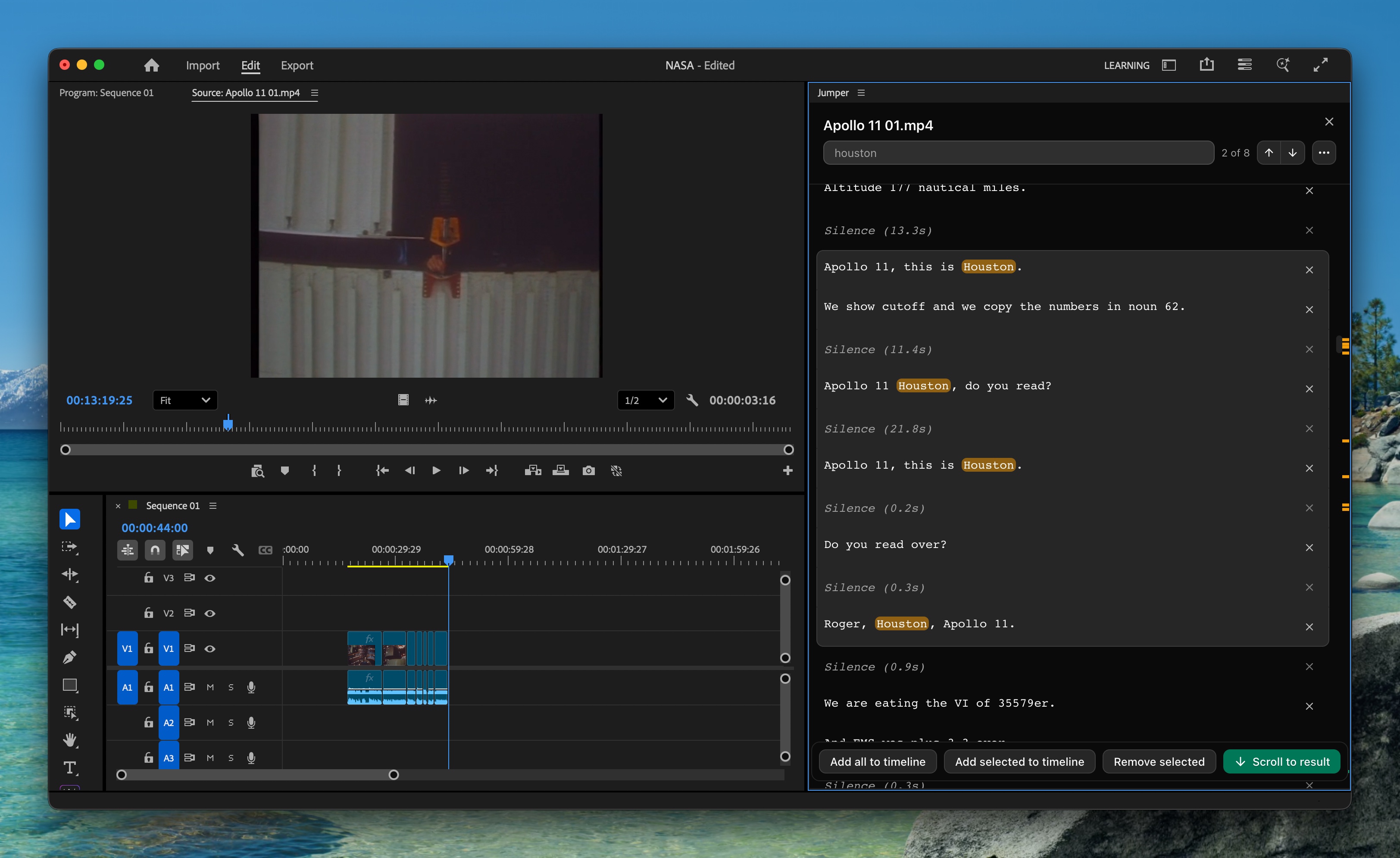
Script Editor is now available in Jumper. Open any transcribed media, review the full script, make non-destructive text-based edits, and send selected segments straight to your timeline.
Previously, Jumper let you search across transcripts and review individual results. With Script Editor, you can now open a transcribed clip and work with the full transcript in one place.
Edit and add to timeline
Inside Script Editor, you can make quick edits to the script before building your sequence. Remove silences, delete unwanted segments, and shape the transcript before touching the timeline.
Exporting scripts
Script Editor also lets you export the edited transcript in multiple formats for sharing, review, or approval. 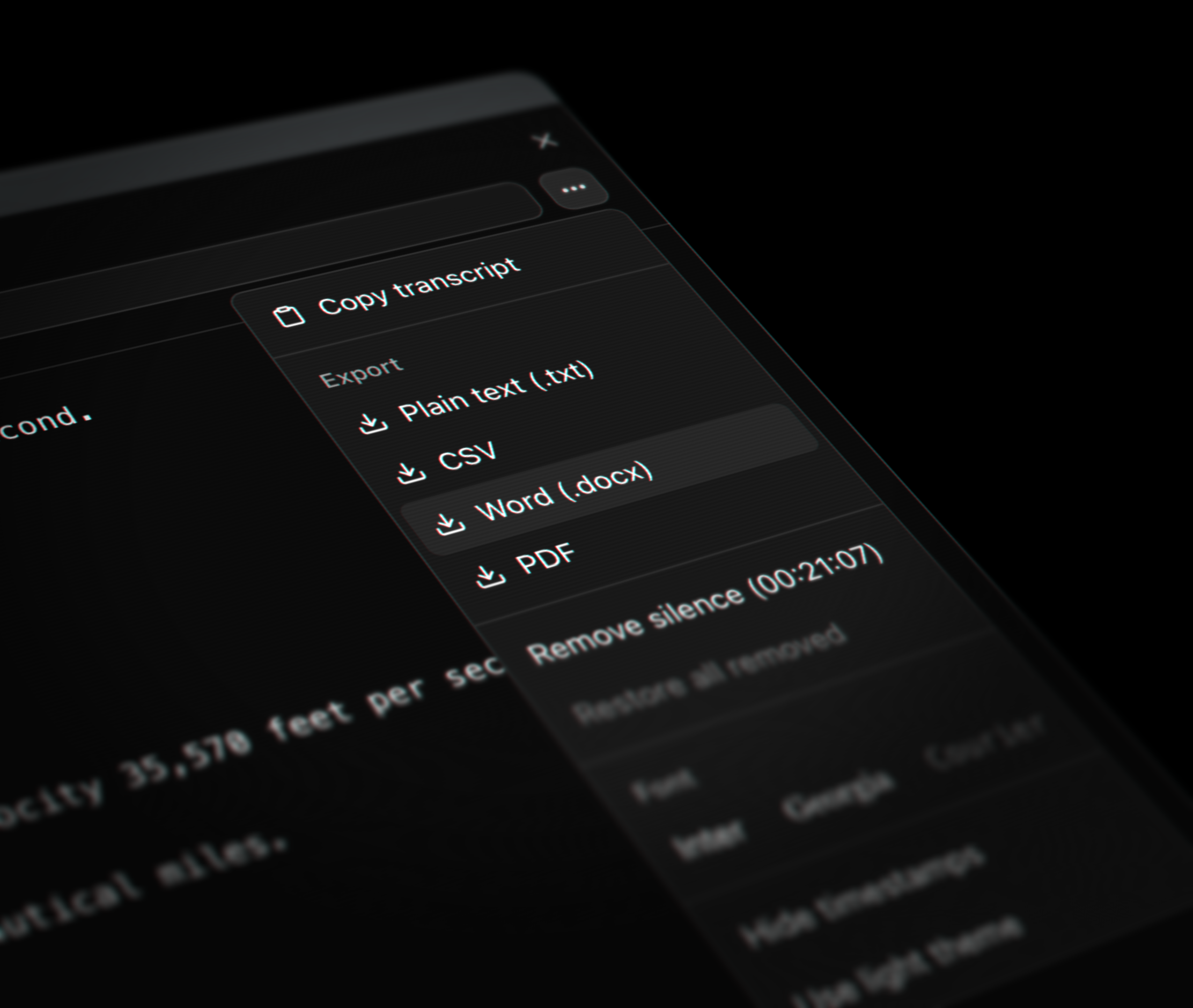
You can use Script Editor in any of the Jumper plugins as well as the standalone version of Jumper. Script Editor is available now for all Jumper users on both Jumper and Jumper Pro.