Giving AI agents a Map of Your Footage
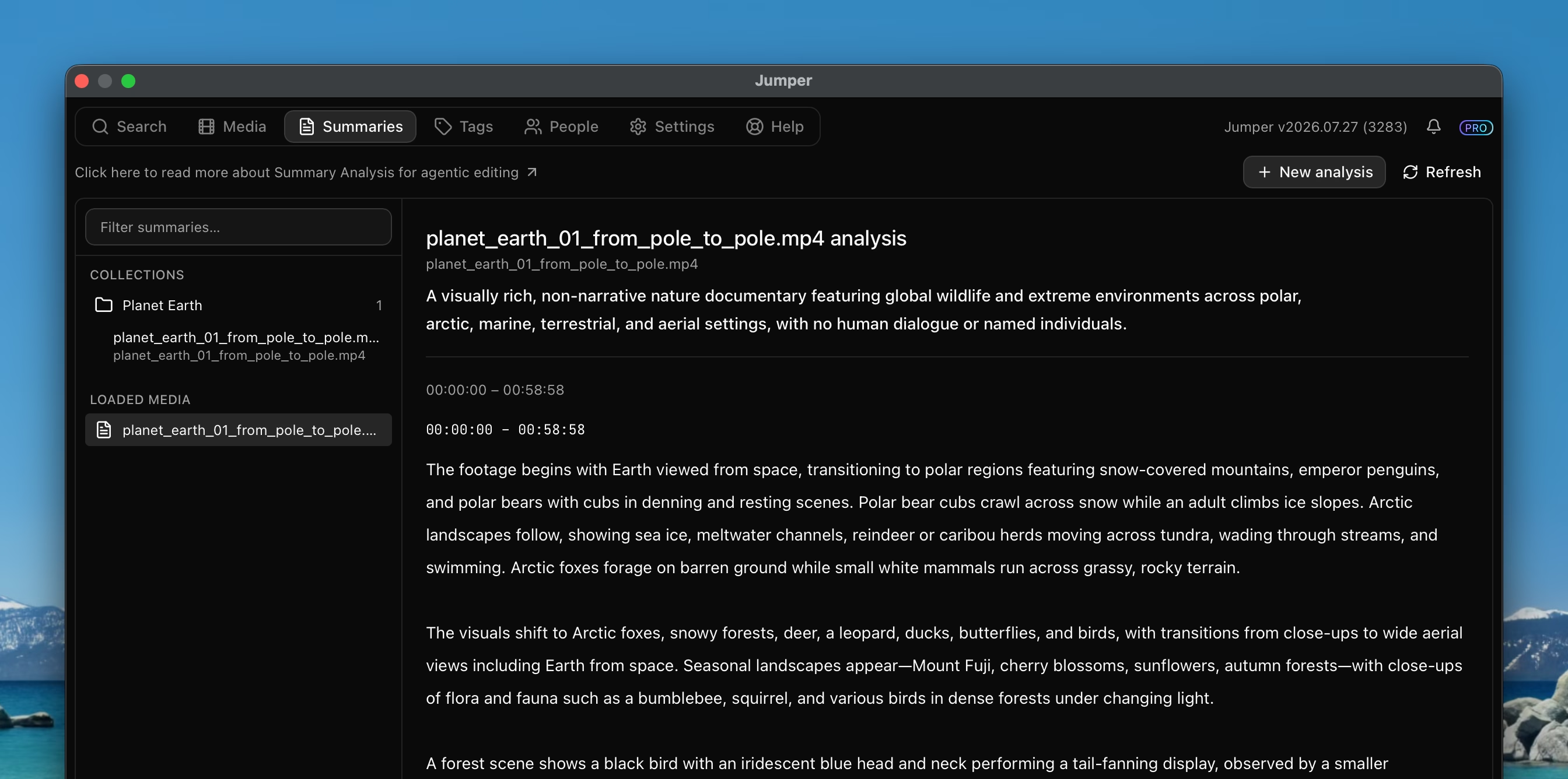
Since we introduced Agentic Editing in Jumper, we’ve been working on making it easier for AI agents to work with your footage.
There is some kind of chicken-and-egg problem when handing off an editing task to an agent. You might know what’s in the footage, more or less, but the agent does not.
If your footage is transcribed, the agents will have some idea of what’s in the footage, but that’s only what is said, not what is shown.
Until now, when giving an agent a task with Jumper, the agent would kind of shoot in the dark and parse the returned thumbnails and from that, try to figure out what’s in the footage. In short, search works best when you already know what you are looking for.
To address this, we’ve added a new feature in Jumper called Summaries.
How it works
With Jumper’s new Summaries feature, you can create a text summary of your footage. It works by building a bottom-up tree of descriptions. It starts with the smallest individual scenes and creates a description of each scene.
These scene-level descriptions are then grouped and summarized again until the top level summary is created. The result is a tree of summaries that provides a hierarchical view of your footage. Each level also points back to the source time ranges it covers, so you always know where in the footage a description comes from.
You can also aim a summary at a specific editorial question; for example documentary research, trailer moments, or interview selects so the analysis focuses on what matters for that cut. The same footage can have multiple summaries for different goals.
Progressive disclosure
This structure gives AI agents a way to explore your footage efficiently. An agent will start by parsing the top level summary and if interested, it can then drill down into the next level of detail without having to parse all the individual scenes at once.
Once it finds promising sections, it can narrow later visual, transcript, or people searches to those source time ranges — using the summary as a map, then searching with purpose.
How to get started
Summaries are part of Jumper’s broader AI video analysis and understanding.
To get started with Summaries, we suggest you take a look at the Summaries documentation and follow the steps there. Summaries are available with Jumper Pro.
If you have any questions, suggestions, or feedback, please don’t hesitate to contact us at [email protected].