Introducing Agentic Editing in Jumper
Agentic Editing with OpenAI Codex Desktop
These integrations let agents query Jumper’s backend and orchestrate multi-step workflows across your analyzed media.
What agents can do
With these new integrations, the agent can operate Jumper just like you can.
- Search visually across analyzed footage
- Search across transcriptions
- Retrieve clip segments
- Find similar clips
- Find clips by face recognition
- Trigger workflow actions (e.g. export a sequence to Premiere, Final Cut Pro, DaVinci Resolve or Avid Media Composer)
But it can also do things that you can’t do with the normal Jumper interface. For example:
- Export scenes as individual files to a folder
- Export a set of clips as a sequence for your editing software
Since the agent is acting as the orchestrator of the workflow, you can give it a complex task and it will break it down into smaller steps and execute them in the correct order. For example:
- “use Jumper to find all shots of Anna smiling, export as individual files and also export a sequence to premiere”
- “use Jumper to cut a sizzle reel from the event footage in /day1_footage/ and the voiceover is sizzle_reel_audio.wav”
This has the potential to speed up time consuming tasks that are a part of the routine media production process. Finding B-roll that matches a script, pulling every clip of a certain person, creating sequences of selects and probably a host of other tasks that we haven’t thought of yet.
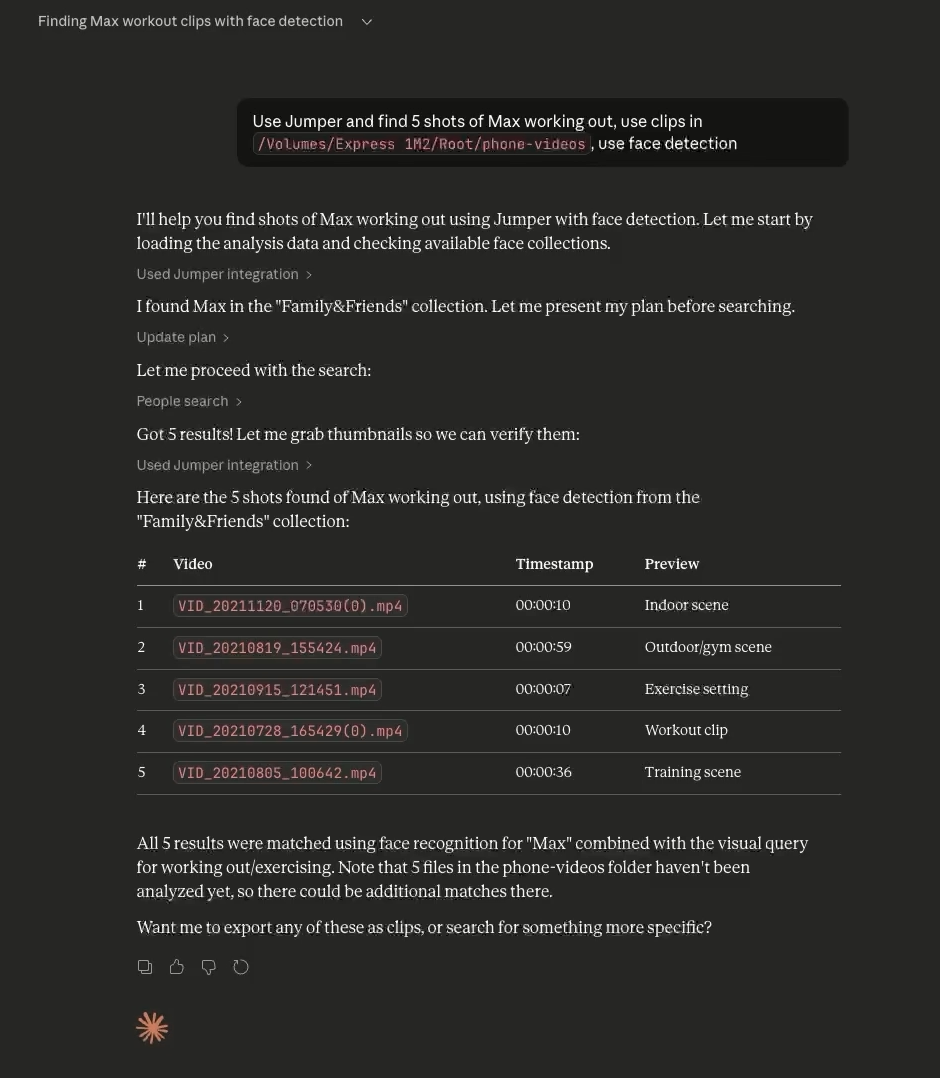 Agentic Editing with Claude Desktop
Since you can run multiple agents in parallel, you can fire off multiple tasks at the same time and focus on other tasks while the agents are working.
“Wow! I’ve been testing it out this weekend and it’s phenomenal! Does exactly what I asked for and more.” — Agentic editing beta tester
One of our beta testers works as an in-house video editor at a large tech company. To test the agentic editing with Jumper, he gave the agent a real job: pulling B-roll from a long day of conference footage. Here’s what his exact prompt to the agent was:
“I am editing a recap video and I need you to pull me lots of clips of the best moments from the conference. Find me 100–200 clips of people having fun, keynote presentation, people signing in at the front desk, large crowds, people talking, collaborating, listening, clapping, etc. Feel free to search for whatever terms you think would make a good hype video.”
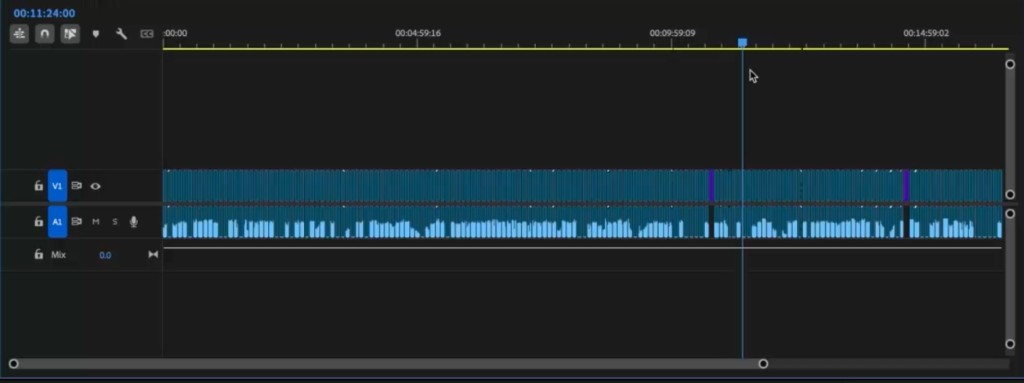
After a couple of moments, the agent returned with an XML for Premiere containing roughly 200 clips of varied B-roll, totaling some 18 minutes.
Skills
The agent relies on skills to understand how to use Jumper. Skills are text files that describe a workflow; the steps, conventions, and output format the agent should follow when orchestrating tasks in Jumper.
Jumper comes with a few skills out of the box, but you can create your own to fit your workflow. If you or your organization has specific workflows, naming conventions, or delivery requirements, you can encode those into a custom skill. For example, you could create a skill that specifies no clip should be longer than 5 seconds, always export a Premiere XML, and place the exported clips in a new folder named projectname_b-roll_clips. Or, for a post house that ingests dailies from multiple shoots, you might create a skill that exports clips into a client/project/dailies/ folder structure, names clips by scene and take (e.g. A001_12).
The skills convention allows you to essentially program your own plugins/workflows/actions on top of Jumper without having to write any code. It’s a powerful way to extend the capabilities of Jumper to fit your specific needs.
Compatibility
At the moment, Jumper is compatible with Claude Desktop (Chat, Cowork and Code) and OpenAI Codex Desktop. We’re working on adding support for other agents in the future.
Update: Jumper now works with practically any agent harness, over MCP or through the local API, including fully local models in LM Studio. Agents can also read and edit timelines in Premiere Pro, DaVinci Resolve, and Avid Media Composer. See the agentic editing guide for current compatibility.
What’s next?
We’re still early in discovering how agentic editing workflows will look. Like normal LLM use, there are limits, prompts matter, and you might need to re-run a task if you’re not happy with the first iteration. From the limited testing we’ve done so far, for structured, repeatable tasks its clear that agentic editing can already save real time.
We’re iterating and tweaking the agentic editing experience and will onboard a few beta testers in the coming days. If you’re interested in trying it out, please let us know.