What's New in Jumper - November 20, 2026
Jumper v2026.11.20 is now available for macOS (Apple silicon and Intel) and Windows. On macOS, update through Auto-check for updates in the Jumper launcher. On Windows, download and run the latest installer.
Faster Face Collections
Face Collections are stored in a new format. Renaming, merging, moving and deleting people are now much faster, and everything uses less memory.
Collections made by earlier versions stay readable and searchable. The first time you change one, Jumper asks to upgrade it and then makes the change. You can also pick Upgrade collection in the People tab’s collection menu. The old files are kept as a backup for 14 days, so a failed or cancelled upgrade leaves the collection as it was.
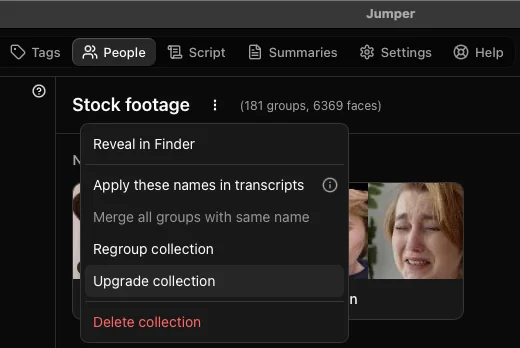
Earlier Jumper versions can’t use new or upgraded collections. If several computers share an Analysis folder, update all of them first.
Read a Summary along a timeline
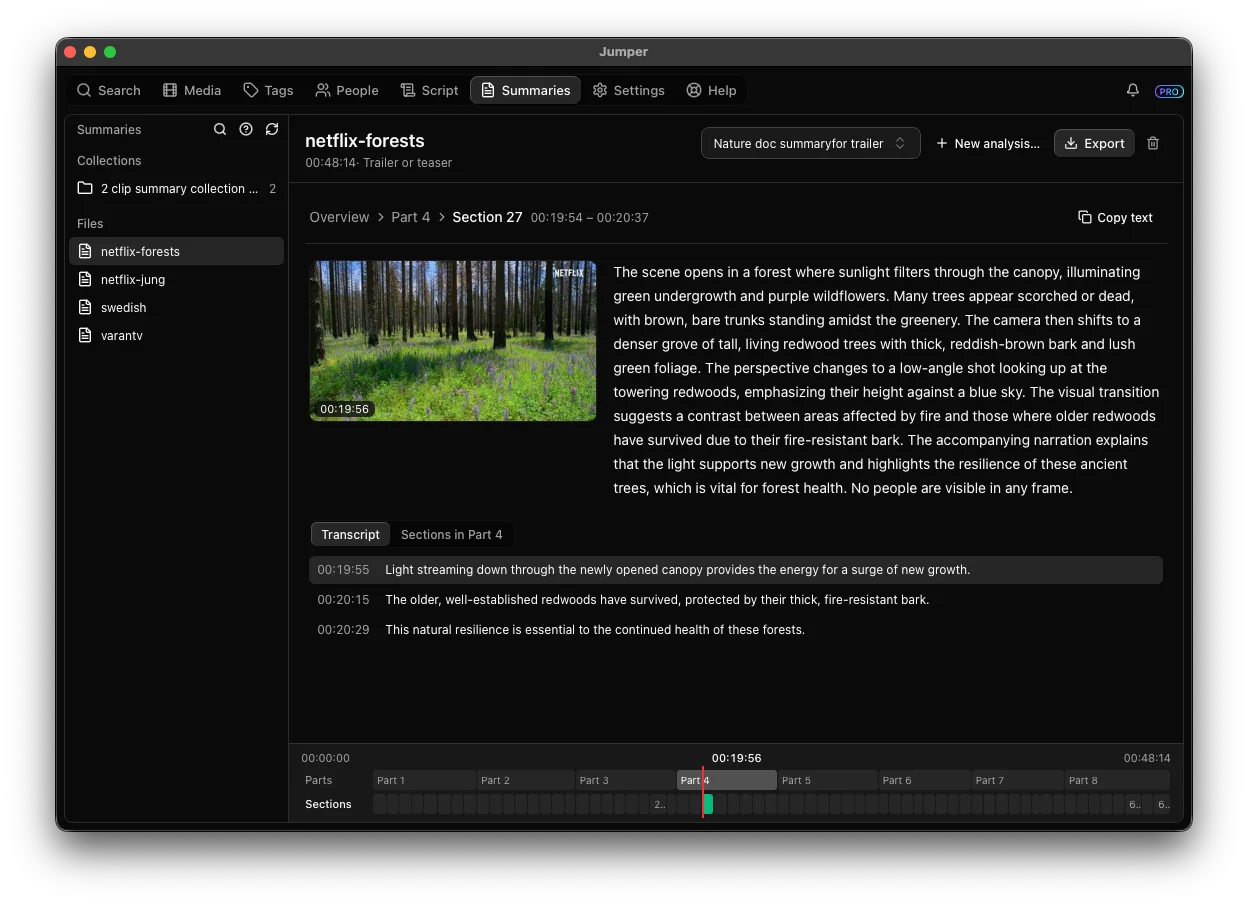
The Summaries tab now shows a Summary as a timeline. Parts, sections and moments sit on stacked tracks under one playhead. Drag it, or step through with the arrow keys, and the reading pane follows: the frame at the playhead, the text, and a moment’s transcript lines. Jump to, Mark and Copy text work on what’s under the playhead.
Setting up a Summary Analysis is simpler too. The dialog starts with what the summary is for, an optional goal and suggested focus areas. Everything else sits under Settings.
More in the Summary Analysis guide.
Summary Analysis in watch folders
Summary Analysis can now be done via watch folders.
While a watch folder runs Summary Analysis, Jumper asks before pausing it for a visual search or analysis. Speech search keeps working the whole time.
Setup is in the watch folders guide.
Faster visual analysis of long videos
Jumper used to start decoding a file from the beginning for every batch of frames, so long files got slower the longer they were. Now each file is decoded once. A 10-minute 5K AV1 file went from about 7 minutes to under 2 and a half.
Final Cut Pro fixes
- Add to timeline no longer inserts one-frame clips on French and other keyboard layouts when Paste Timecode has no shortcut. If the playhead doesn’t move, Jumper stops and tells you.
- Clicking a speech result opens the clip at that point in the Viewer, without a “Failed to start playback” error. Space plays and pauses.
- Jumper finds Libraries and Events in Final Cut Pro 13 (Creator Studio edition), and in names with accented letters.
Also in this release
- A more consistent look across the app, the same in the standalone apps and the NLE plugins.
- Premiere Pro: Copy buttons work in Script, search results and the AI Agents settings.
- Dragging results onto the timeline no longer leaves placeholder files piling up.
- Tags: an already tagged visual result shows as tagged, and ticking it again no longer adds a duplicate.
- Search results you removed stay removed when you show more.
- Typing @ opens the people picker on keyboards that type @ with Option or AltGr, such as Swedish and other Nordic layouts.
- Summary Analysis finds visual analysis made with older visual models.
Thanks to Awakening and ro1960 on our Discord for reporting issues.
For the complete list, see the Jumper release notes.
Update Jumper, open a Summary and drag the playhead. Tell us how it goes on Discord.