What's New in Jumper - July 2026
Jumper v2026.07.27 is now available for macOS on Apple silicon and Windows. On macOS, update through Auto-check for updates in the Jumper launcher. On Windows, download and run the latest installer.
A map of your footage before the search begins
Jumper already gave agents eyes and ears through visual, speech, and face analysis. What they lacked was a way to understand many hours of footage before deciding where to search.
Summary Analysis adds that map. It uses local AI to create a layered, task-focused description of your footage. Start with a concise overview, then open progressively narrower sections with source time ranges and previews.
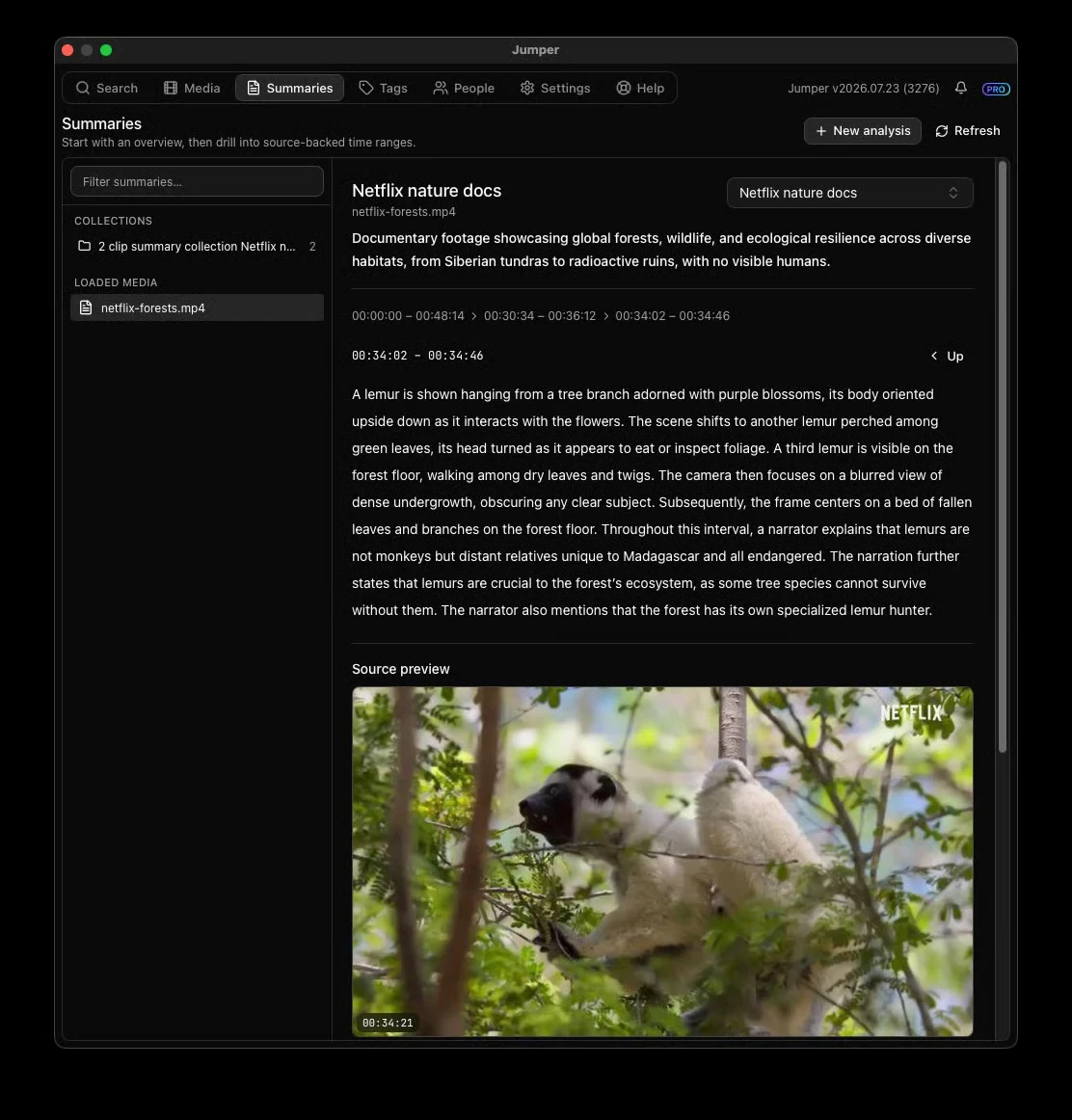
An agent can read the overview, drill into the parts that matter, and focus its visual, transcript, or people searches on those ranges. Summaries can also be organized into collections, making it easier to compare related files without losing track of the source.
Summary Analysis is navigation context, not final evidence. Jumper’s agent workflows verify quotes, identities, and edit points against the transcript, frames, People analysis, or source media before using them.
Shape the summary around the job
Choose an analysis purpose, add a specific goal, and tell Jumper what deserves extra attention. The same footage can have one summary for documentary research and another for a trailer, continuity pass, or highlight reel.
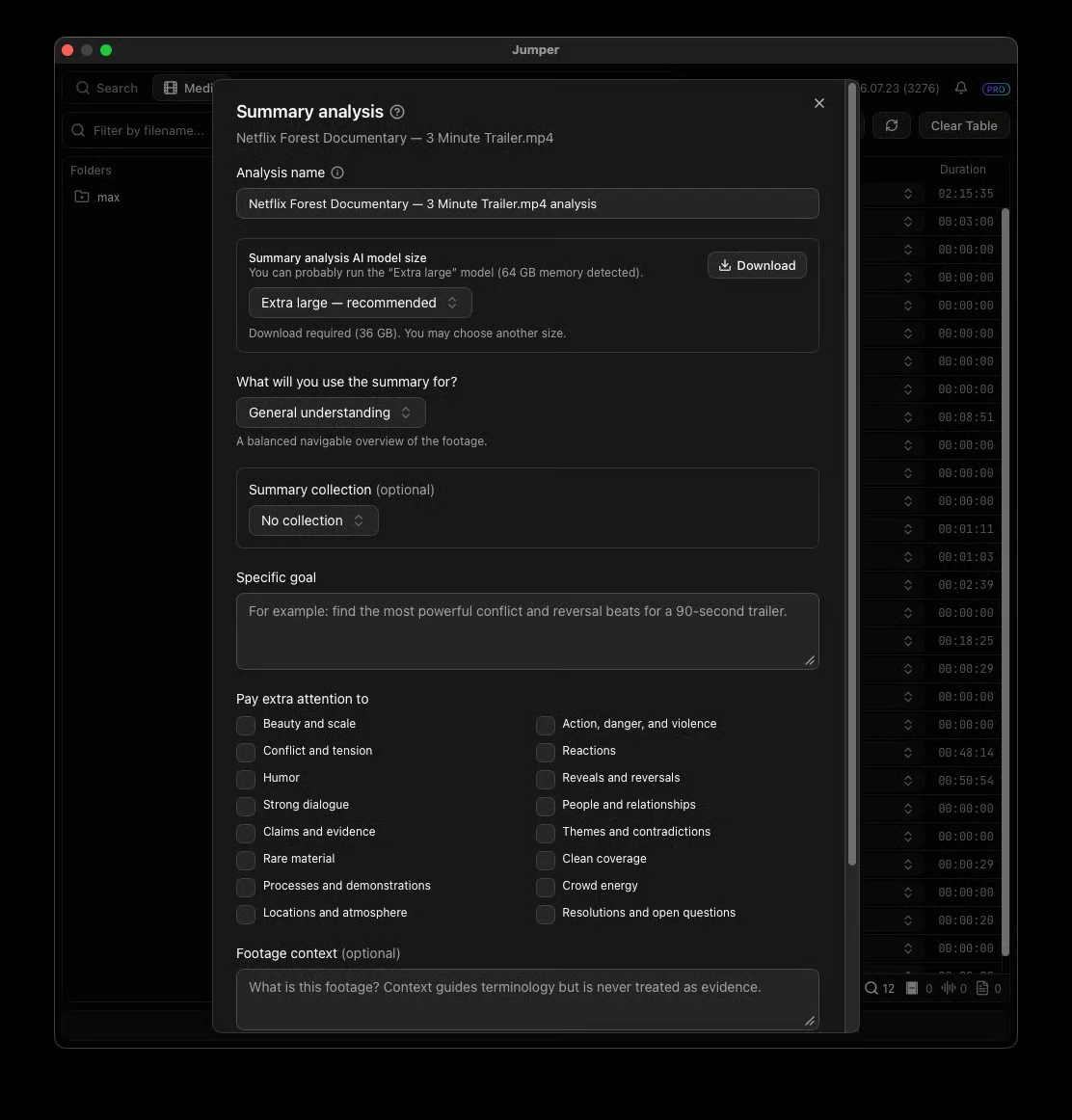
For the strongest results:
- Select the Ultra Accurate visual model in Settings.
- Analyze the footage for visual, speech, and faces.
- Name recognized people and speakers when useful.
- Create a Summary Analysis for the job you have in mind.
- Tell Codex, Claude, or another connected agent what you want it to make.
After the first analysis steps are complete, you can also give the agent the final task and let it configure and start the Summary Analysis itself.
Summary Analysis runs locally and requires Jumper Pro. Read the Summary Analysis guide for the full setup.
Agents can prepare missing analysis from chat
Connected agents can now check whether footage is missing visual, speech, face, or Summary Analysis and start the necessary jobs directly from chat. When people matter, the agent can pause after face grouping so you can name them before summaries are generated, then continue with the original task.
That means a long trailer, research, B-roll, or story-assembly job can keep moving without a separate round of manual setup.
Also in this release
- Filter the Media table by completed visual, speech, or face analysis, including specific Face Collections.
- Exact NTSC and mixed source frame rates are now preserved in timeline exports for Premiere Pro, DaVinci Resolve, Avid, and Final Cut Pro.
- Removed files and folders stay removed from the Standalone Media table after restart.
- Fixed the Premiere Pro Create Tag controls, packaged-app speaker detection, and Ultra Accurate visual models on Windows.
For the complete list, see the Jumper release notes.
Update Jumper, run a Summary Analysis on one long clip you know well, and ask your agent to build something from it. Then tell us how it went on Discord.